Table of Contents
Introduction
The best IPTV service can transform your Amazon Firestick into a powerful entertainment hub. If you’re looking for a complete Firestick IPTV tutorial, you’re in the right place. The Amazon Fire TV Stick 4K Max and Fire TV Cube are considered the best device for IPTV streaming due to their performance, affordability, and ease of use.
With Stremzi, you gain access to over 45,000+ live channels and 220,000+ VOD in stunning 4K & 8K Ultra HD quality. Combined with IPTV Smarters Pro, one of the most popular IPTV streaming services apps, you’ll enjoy smooth playback, anti-freeze technology, and 99.9% uptime.
This tutorial will guide you step-by-step to install IPTV Smarters Pro and set up your Stremzi subscription on your Firestick IPTV device.
What You Need Before Starting Watching IPTV on your firestick
- Stremzi IPTV Smarters Pro subscription (Get trial from pricing)
- Amazon Firestick / Fire TV device
- Stable internet (15+ Mbps recommended)
- Login credentials (username, password, server URL)
Step-by-Step Installation Guide
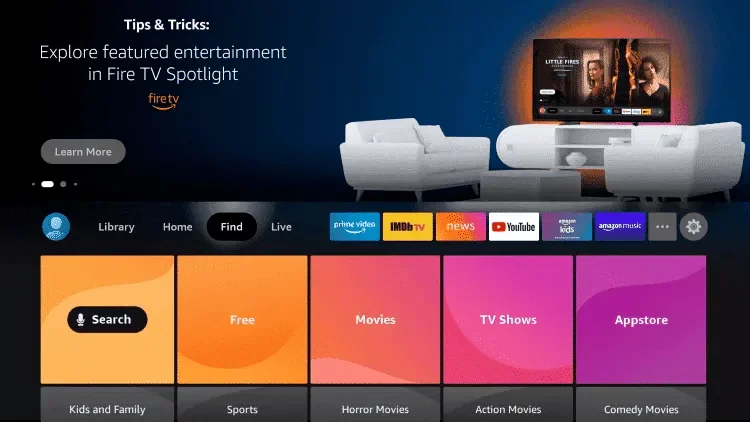
1. Search for the Downloader App
From the home screen, go to Find → Search and type “Downloader”.
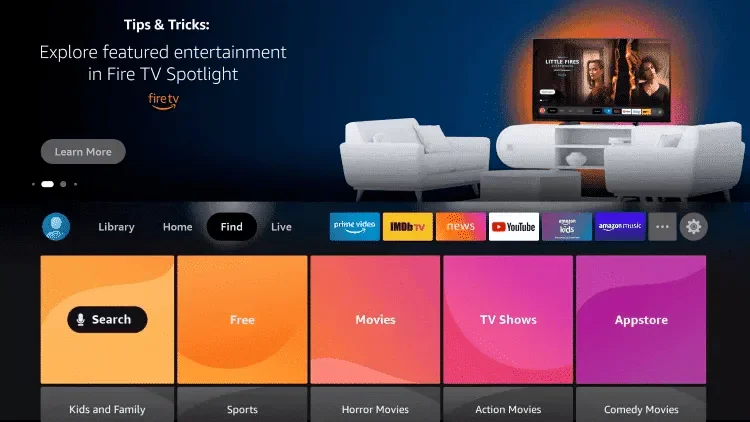
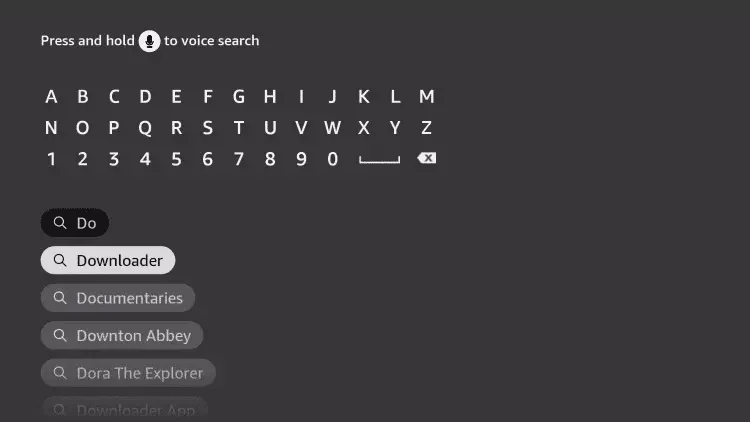
2. Click Search
Select the search result. Ensure correct spelling.
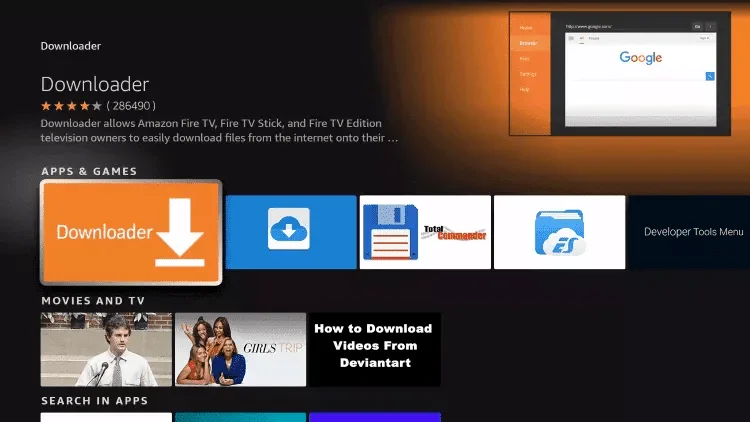
3. Select Downloader
Look for the orange Downloader app.
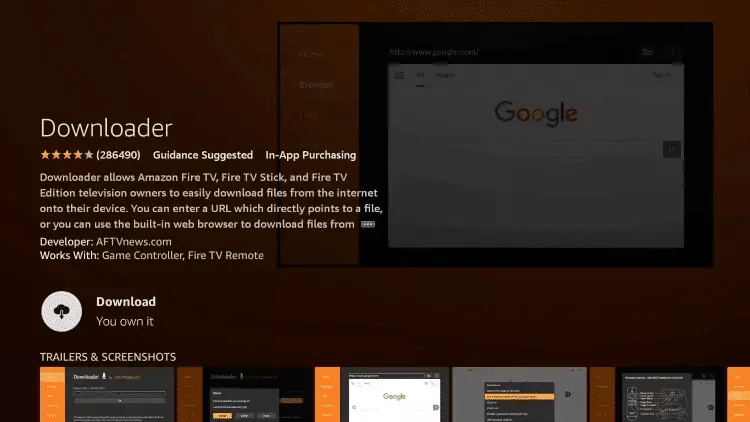
4. Choose the Downloader App
Click the official app listing.
5. Click Download
Wait for installation to complete.
6. Open Downloader
Launch after installation.
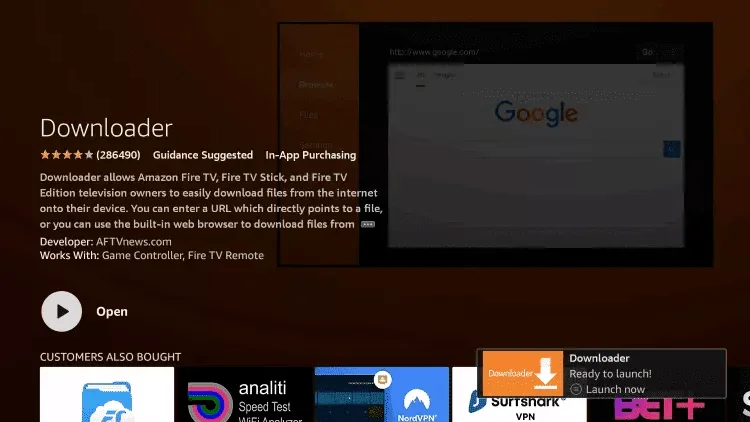
7. Open Settings
Go back to home → Settings.
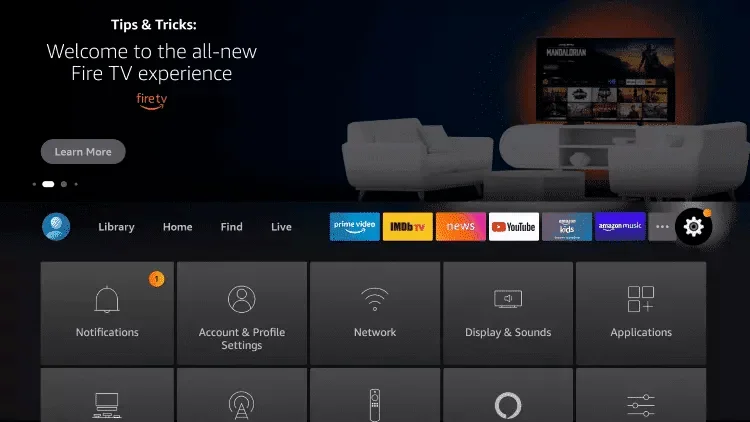
8. Click My Fire TV
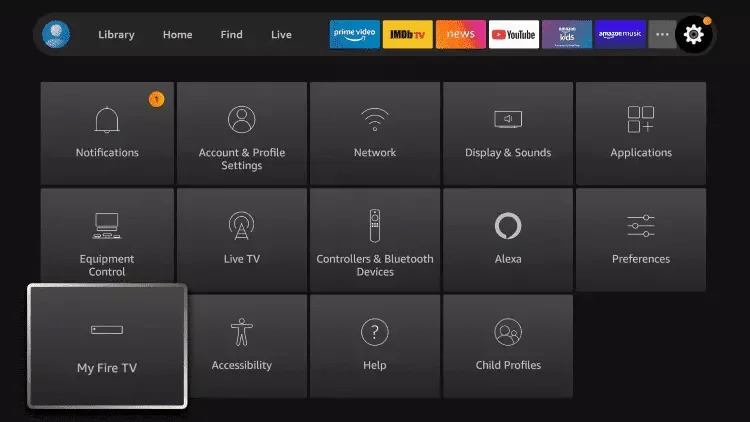
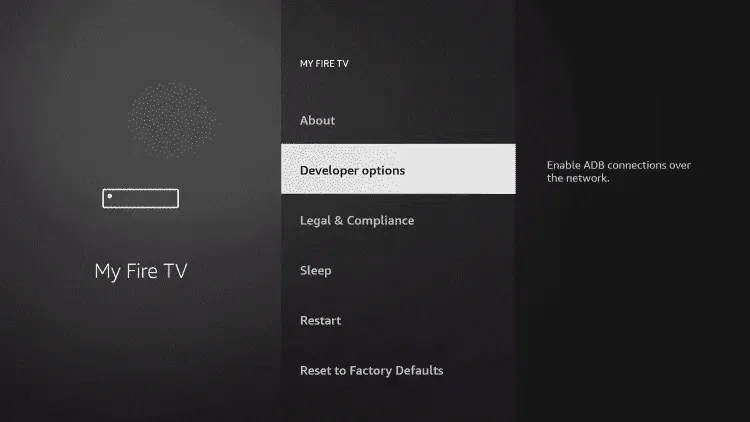
9. Choose Developer Options
If missing: tap device name 7 times.
10. Click Install Unknown Apps
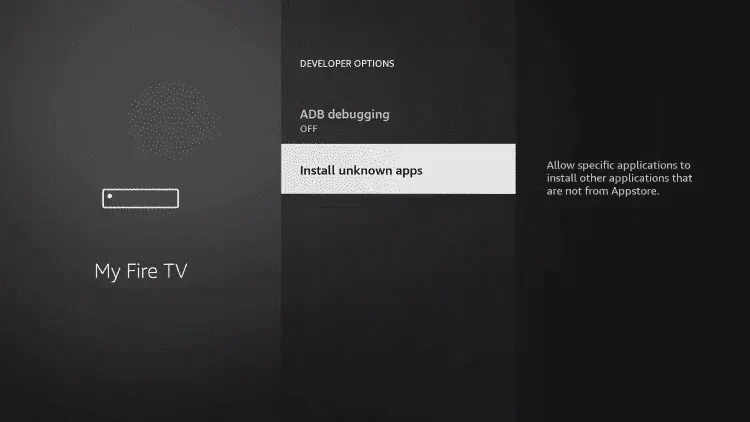
12. Open Downloader and Click Allow
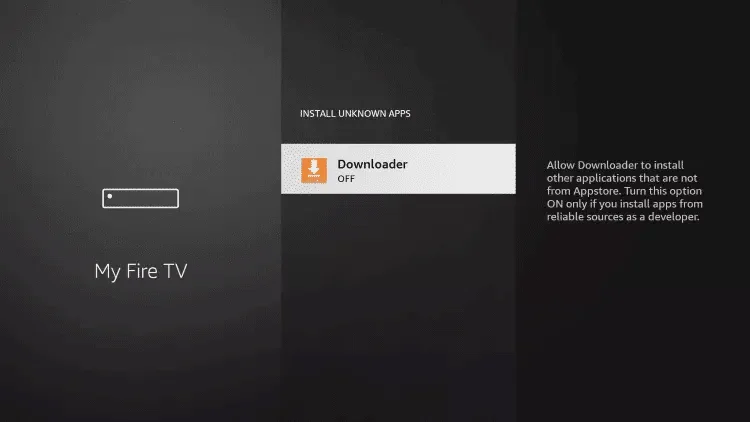
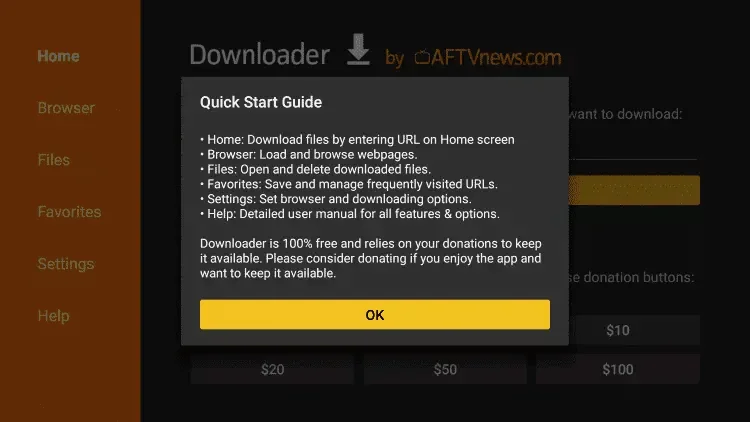
13. Click OK
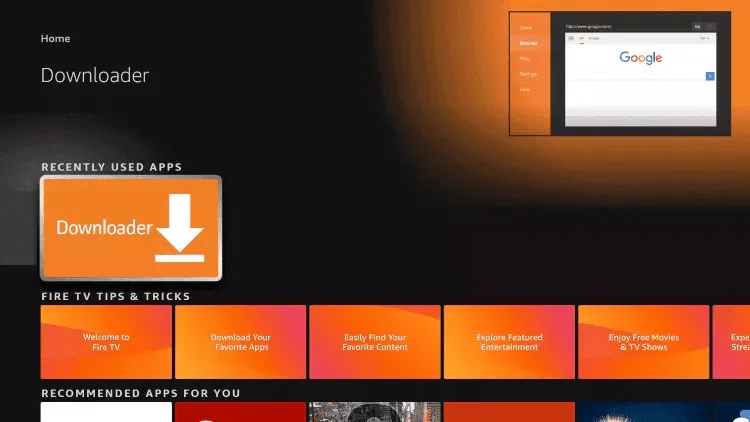
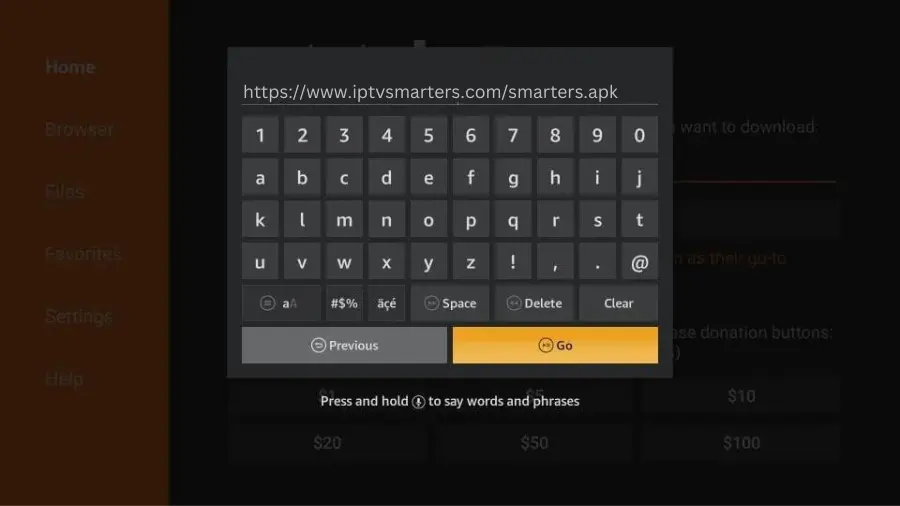
14. Enter IPTV Smarters Pro URL
Type: https://www.iptvsmarters.com/smarters.apk and click Go.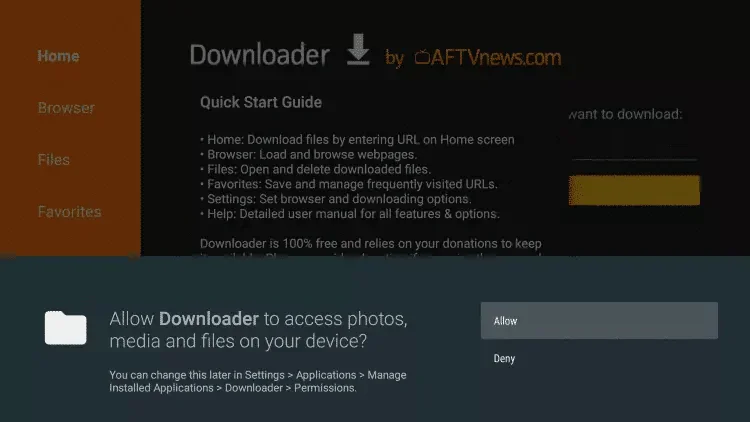
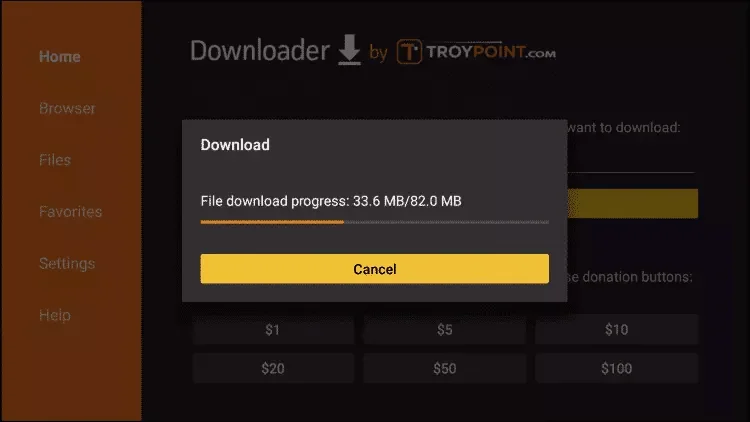
15. Wait for the File to Download
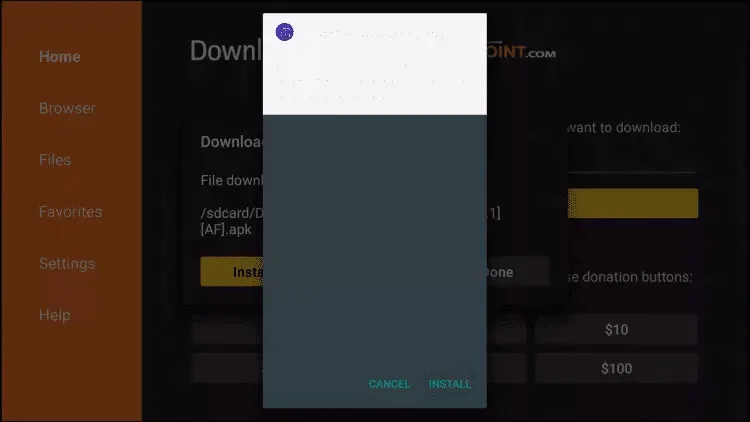
16. Click Install
17. Click Done
18. Open IPTV Smarters and Select Login with Xtream Codes API
19. Enter Your Login Details
Enter the login details sent to you via WhatsApp, Email, or Chat.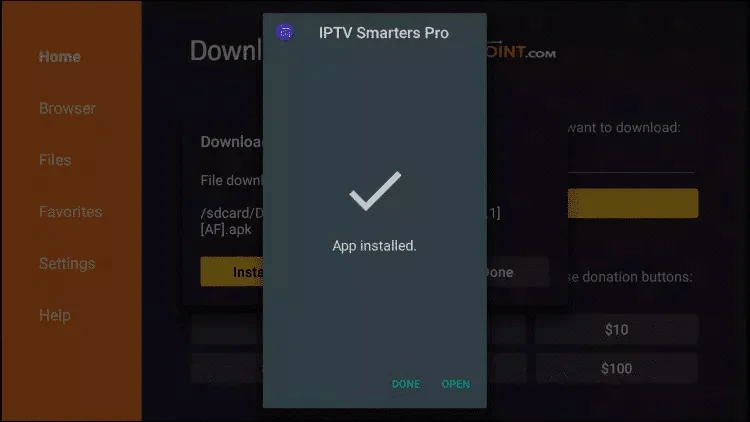
20. Open IPTV smarters, then select Login with Xtream codes api.
Enter the login details that we sent you via Whatsapp or Email or Chat.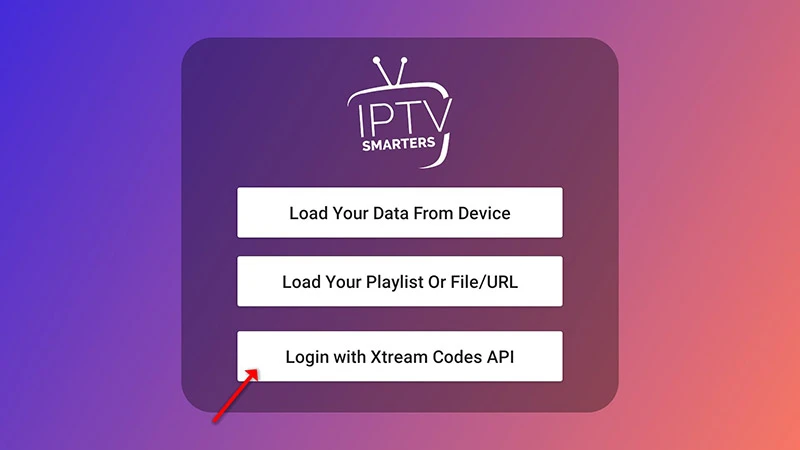
21. Enjoy Your IPTV Subscription!
Once logged in, you can start watching IPTV on your Firestick.
Need Help?
If you’re facing issues, contact our support team on WhatsApp for assistance.