
Install Ibo Player Pro on Apple TV – Complete Step-by-Step Guide (2026)
To install Ibo Player Pro on Apple TV, open the tvOS App Store, search for “Ibo Player Pro”, click Get and confirm with your Apple ID, then activate the app on iboproapp.com using your Device ID and Device Key to upload your M3U playlist. This 2026 tutorial walks you through every step needed to install Ibo Player Pro on your Apple TV HD or Apple TV 4K running tvOS 14 or later, including activation, M3U setup, and troubleshooting tips.
Ibo Player Pro is a professional M3U stream player built for fast playlist loading, smooth playback, and a clean, remote-friendly UI optimized for the Apple TV experience. With Ibo Player Pro on Apple TV you can watch live channels, on-demand movies, and full series with Xtream Codes support, multi-language audio, subtitles, and parental control — all in stunning 4K HDR quality on Apple TV 4K.
Whether you are a tech-savvy enthusiast or new to IPTV apps on tvOS, this guide ensures a hassle-free installation. By the end, your Apple TV will be ready to load your M3U playlist and stream your favorite content without lags or glitches.
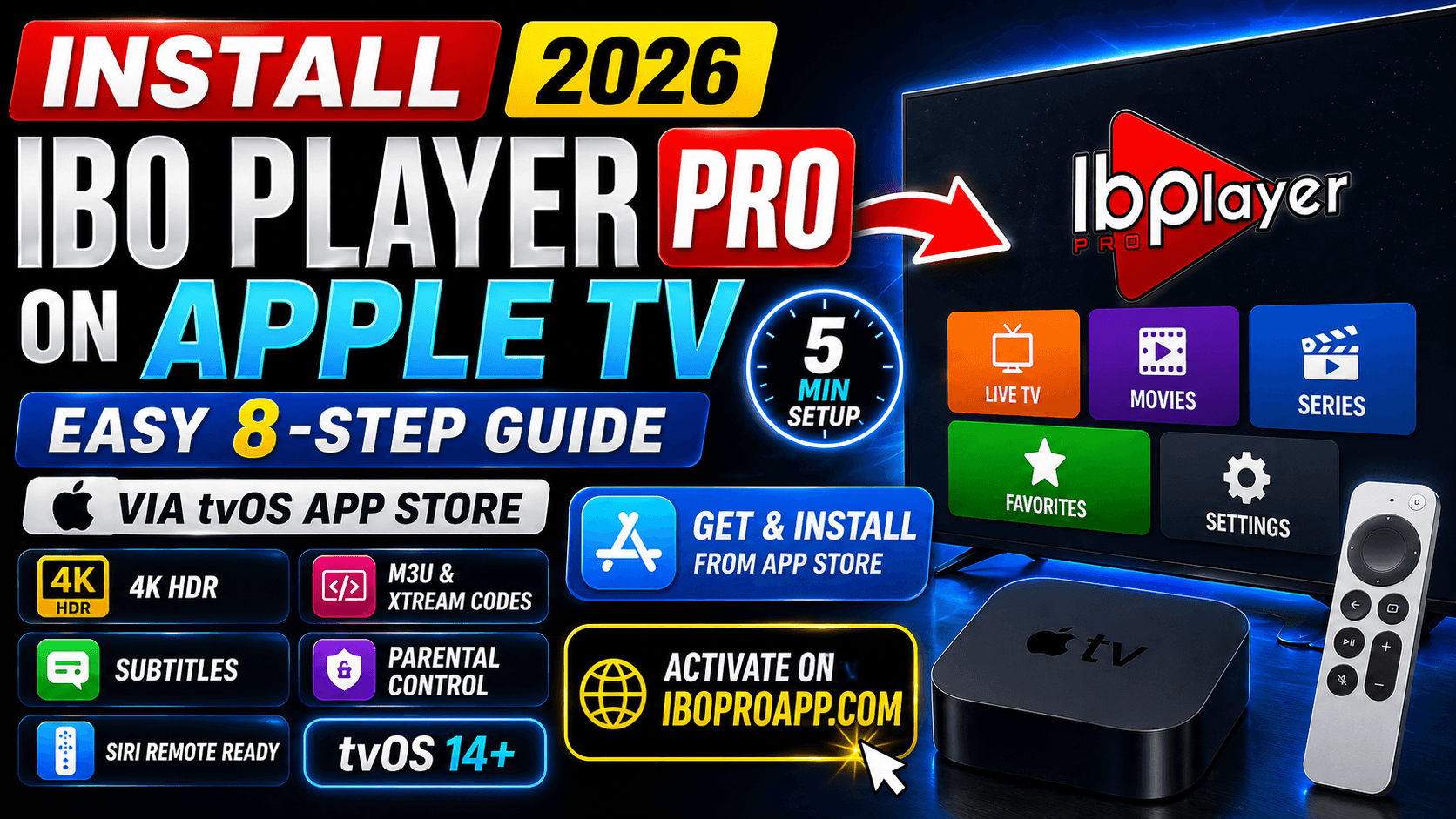
Table of Contents
What You Need Before Starting
Before you install Ibo Player Pro on Apple TV, gather the following essentials. Having everything ready prevents the most common App Store and activation errors.
- An Apple TV HD (4th generation) or Apple TV 4K running tvOS 14 or later
- An active Apple ID signed in to the App Store on your Apple TV
- A stable internet connection (Ethernet recommended for 4K HDR streams)
- A valid M3U playlist URL or Xtream Codes credentials from your IPTV provider
- The Siri Remote or any compatible Apple TV remote
- A phone or computer to complete activation on iboproapp.com
- About 5 minutes of setup time
How to Install Ibo Player Pro on Apple TV (8 Steps)
The fastest way to install Ibo Player Pro on Apple TV is through the official tvOS App Store. Follow these eight steps in order — the entire process takes under 5 minutes.
- Access the App Store. Turn on your Apple TV and navigate to the blue App Store icon on the home screen. Press the touchpad on your Siri Remote to open it.
Pro tip: If the App Store icon is hidden, hold the TV/Home button on your Siri Remote to return to the home screen first. - Search for Ibo Player Pro. Select the Search tab at the top of the App Store, then use the on-screen keyboard to type Ibo Player Pro.
Pro tip: Press and hold the Siri button on your remote and say “Search for Ibo Player Pro” to skip the on-screen keyboard entirely. - Select Ibo Player Pro. When the app appears in the results, click on it to open the full App Store details page. Verify that the developer name matches the official Ibo Player Pro publisher to avoid clones.
- Install the app. Click the Get button (the app is free to download). Confirm the install with your Apple ID password if prompted.
Pro tip: If you have not signed in to the App Store on this Apple TV before, you may be asked to verify your Apple ID via Face ID on your iPhone — this is a normal tvOS 17+ flow. - Wait for installation. The app downloads and installs in 10–30 seconds depending on your connection. The icon will appear on your Apple TV home screen automatically when ready.
- Launch Ibo Player Pro. Navigate to the new app icon on the home screen and press the touchpad to open it.
Pro tip: Drag the icon to the top row of your home screen for fastest access during regular streaming sessions. - Note your Device ID and Device Key. The first launch screen displays your unique Device ID (long alphanumeric string) and Device Key. Take a photo of the screen with your phone, or write them down carefully — capital “I” and lowercase “L” are easy to confuse.
- Activate the app on iboproapp.com. On your phone or computer, visit iboproapp.com, register your device with the Device ID and Device Key, upload your M3U playlist or Xtream Codes credentials, complete the small activation fee, then restart Ibo Player Pro on your Apple TV. Your channels and VOD will load automatically.
That is it — your Apple TV is now ready to stream your M3U content in HD or 4K HDR. If something goes wrong, use the troubleshooting section below.
How Do I Activate Ibo Player Pro on Apple TV?
Activation links your Apple TV to your M3U playlist on the Ibo Player Pro server. Without activation, the app will not load any channels or VOD content. This is information not always clear in the App Store description.
- Open Ibo Player Pro on your Apple TV. Note the Device ID and Device Key displayed on the welcome screen.
- On a phone, tablet, or computer, visit iboproapp.com and click Add Device or Activate.
- Enter your Device ID and Device Key exactly as displayed (case-sensitive).
- Choose how to add your playlist: M3U URL, M3U file upload, or Xtream Codes credentials (server URL, username, password).
- Pay the one-time activation fee (approximately $5.99 per device).
- Return to your Apple TV, fully close Ibo Player Pro by double-clicking the TV/Home button and swiping up on the app card, then reopen it. Your channels, movies, and series will load automatically.
Pro Tips for Apple TV Users
These five tips squeeze the best performance out of Ibo Player Pro on tvOS and unlock features the official documentation rarely covers.
- Tip 1: Use Ethernet on Apple TV 4K. The Apple TV 4K (Wi-Fi + Ethernet model) handles 4K HDR M3U streams flawlessly over wired connections. Wi-Fi packet retries are the most common cause of buffering on heavy playlists.
- Tip 2: Enable Match Frame Rate & Match Dynamic Range. Go to Settings → Video and Audio → Match Content and enable both. This lets Ibo Player Pro switch automatically between 24fps movies, 50/60fps live sports, and HDR/SDR content.
- Tip 3: Use Siri to launch the app. Press and hold the Siri button and say “Open Ibo Player Pro” to skip the home-screen navigation entirely.
- Tip 4: Pair AirPods for private listening. Pair AirPods or AirPods Pro under Settings → Remotes and Devices → Bluetooth for late-night streaming without disturbing others.
- Tip 5: Restart Apple TV weekly. Go to Settings → System → Restart. This clears cached memory and keeps Ibo Player Pro responsive on long streaming sessions, especially on Apple TV HD with less RAM.
Troubleshooting Common Issues
If something goes wrong during install or activation, one of these five fixes resolves it almost every time.
Why Won’t Ibo Player Pro Install on My Apple TV?
The most common causes are insufficient storage, an outdated tvOS version, or App Store region restrictions. Update tvOS via Settings → System → Software Updates, free up space by deleting unused apps under Settings → General → Manage Storage, and confirm your Apple ID country supports the app.
The App Crashes Right After Opening — What Now?
Force-close Ibo Player Pro by double-clicking the TV/Home button and swiping up on the app card, then reopen it. If the crash persists, delete the app from the home screen, restart your Apple TV, and reinstall from the App Store. Reactivate using the new Device ID on iboproapp.com.
Channels Don’t Load After Activation
Re-check your M3U URL on iboproapp.com. Common errors include expired playlists, extra spaces in the URL, or wrong Xtream Codes credentials. After fixing, restart the Ibo Player Pro app twice on your Apple TV.
Why Is the Stream Buffering on Wi-Fi?
Apple TV performs best with Ethernet for live streaming. If Ethernet is unavailable, place the Apple TV within line-of-sight of your router and use the 5GHz band. Buffering during peak hours often indicates ISP throttling — consider a low-overhead VPN such as a WireGuard-based provider.
Activation Keeps Failing on iboproapp.com
Disable any VPN during the registration step. Type the Device ID and Device Key exactly as shown — capital “I” (eye) and lowercase “L” (el) look identical on most fonts. Complete payment, then restart Ibo Player Pro twice on your Apple TV.
Ibo Player Pro vs Other M3U Players for Apple TV
Here is how Ibo Player Pro compares against the most popular M3U player alternatives for tvOS in 2026.
| Feature | Ibo Player Pro | IPTV Smarters Pro | GSE Smart IPTV |
|---|---|---|---|
| Available on tvOS App Store | Yes | Limited (sometimes removed) | Yes |
| App download price | Free (one-time activation $5.99) | Free | Free / Paid Pro tier |
| 4K HDR support on Apple TV 4K | Yes | Yes | Yes |
| EPG (TV Guide) | Yes | Yes | Yes |
| Xtream Codes | Yes | Yes | Yes |
| Parental controls | Yes | Yes | Yes |
| Multi-language audio & subtitles | Yes | Yes | Yes |
| Siri Remote optimized UI | Yes | Yes | Limited |
| Setup difficulty on tvOS | Easy | Easy when available | Medium |
| Best for | Cross-device M3U streaming with rich VOD metadata | Multi-platform users | tvOS power users |
Ibo Player Pro Feature Highlights
Ibo Player Pro is optimized for fast M3U streaming on Apple TV. The player loads your playlists smoothly and lets you watch content in the highest quality without the lags or glitches common in other tvOS M3U apps.
- Easy streaming of M3U URLs and playlists
- Simple, intuitive UI designed for the Siri Remote
- Supports all screen resolutions including 4K HDR on Apple TV 4K
- Movie and series details: release date, cast, trailer, and ratings
- Add channels, movies, and series to favorites
- Compatible with built-in tvOS audio engines and AirPods
- Multi-language audio selection
- Subtitles in movies and series
- Built-in parental control
Frequently Asked Questions
Is Ibo Player Pro available on the Apple TV App Store?
Yes. Ibo Player Pro (also listed as “Ibo Pro Player”) is available on the tvOS App Store for Apple TV HD and Apple TV 4K. You can download it directly from the App Store on your Apple TV or visit the official App Store listing.How much does Ibo Player Pro cost on Apple TV?
The Ibo Player Pro app is free to download from the tvOS App Store, but each device requires a one-time activation fee of approximately $5.99 on iboproapp.com to register and upload your M3U playlist.What tvOS version do I need to install Ibo Player Pro?
Ibo Player Pro typically requires tvOS 14 or later. Apple TV HD (4th generation) and all Apple TV 4K models are supported. Always check the App Store Compatibility section for the exact version requirement.What is the Device ID and Device Key in Ibo Player Pro?
The Device ID and Device Key are unique identifiers shown when you first open Ibo Player Pro on your Apple TV. You enter both on iboproapp.com to register and activate the app with your M3U playlist.Can I install Ibo Player Pro on Apple TV 3rd generation?
No. Apple TV 3rd generation and earlier do not run tvOS and cannot install third-party apps. You need an Apple TV HD (4th generation) or Apple TV 4K to install Ibo Player Pro.How do I add an M3U playlist to Ibo Player Pro on Apple TV?
M3U playlists are added through iboproapp.com, not directly inside the Apple TV app. Open the app to copy your Device ID and Device Key, then visit iboproapp.com to upload the M3U URL or Xtream Codes credentials and complete activation.Why won’t Ibo Player Pro install on my Apple TV?
Common causes include insufficient storage, an outdated tvOS version, or App Store region restrictions. Free up storage, update tvOS, and confirm your Apple ID country supports the app.Does Ibo Player Pro provide TV channels or content?
No. Ibo Player Pro is only a media player. It does not provide, sell, or supply any channels, movies, or content. Users must obtain legal M3U playlists from licensed providers.
Legal Disclaimer
Ibo Player Pro does not provide, sell, or supply any TV channels, movies, series, or content of any kind. It is strictly a media player that plays your own M3U lists. Users are solely responsible for using legal M3U playlists obtained from licensed providers and for complying with the broadcasting, streaming, and copyright laws applicable in their country or region. We do not host, distribute, or endorse any copyrighted content, and we are not affiliated with Apple Inc. or any IPTV service provider.
Conclusion
Choosing to install Ibo Player Pro on Apple TV is the smart move for anyone who wants a clean M3U player on tvOS with 4K HDR support, Siri Remote-optimized navigation, rich VOD metadata, and AirPods integration. With the eight-step App Store method — plus the activation flow on iboproapp.com — you can be streaming your M3U playlist in under 5 minutes.
Pair Ibo Player Pro with an Ethernet connection on Apple TV 4K, a clean M3U playlist from a reputable provider, and the latest tvOS update, and you will have one of the smoothest IPTV experiences possible on Apple TV in 2026.
Need more help? Browse our complete tutorials library, visit our help center, or read our privacy policy and terms of service.
Ready to start streaming?
- Visit Website: https://iboproapp.com/
- Ibo Player Pro on the App Store (iOS & tvOS): App Store Listing
- Apple TV Support: Apple TV Support
Related tutorials
Need help? Browse all guides or chat with our team